How to Improve Your Posture While Working at a Desk
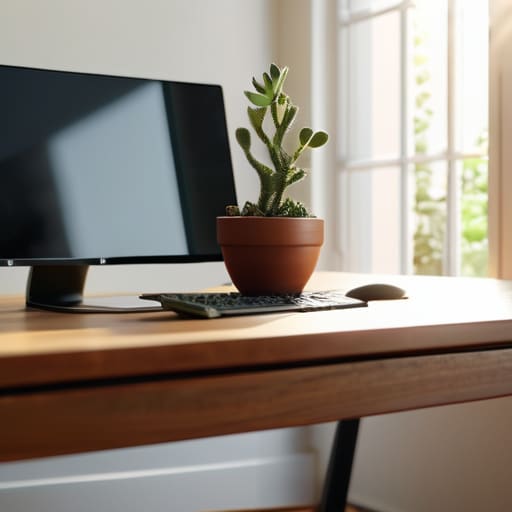
I was staring at my mechanical keyboard last Tuesday, trying to focus on a spreadsheet, when I realized I was hunched over like a gargoyle. My neck felt tight, my shoulders were practically touching my ears, and I had that familiar, dull ache blooming at the base of my skull. It’s that moment of realization where you wonder how to improve your posture without having to buy a $500 ergonomic chair or spend an hour a day doing yoga poses that look more like a contortionist act. We’ve all seen the influencers claiming that “perfect” posture is a lifestyle, but let’s be real: most of us are just trying to survive a nine-to-five without feeling like we’re slowly folding in half.
I’m not here to sell you on some expensive gadget or a rigid, perfectionist regime that falls apart the second you get a deadline. Instead, I want to share the small, low-effort adjustments I’ve actually been able to stick to while managing a remote workflow and a busy home. We’re going to look at a few realistic ways to reset your alignment that work even when you’re exhausted. My goal isn’t to turn you into a statue; it’s just to help you find a few manageable wins so your body doesn’t feel like a wreck by 3 PM.
Gentle Spinal Alignment Techniques for Busy Days
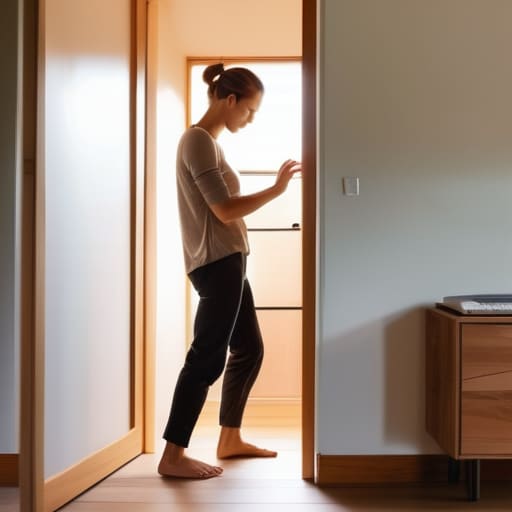
When I’m deep in a flow state—usually with a mechanical keyboard clicking away and a half-finished coffee nearby—I completely lose track of my body. Before I know it, I’m hunched over like a question mark. Instead of trying to force myself into some rigid, perfect stance, I’ve started using tiny, low-friction movements to reset. One of my favorites is a simple doorway stretch. You just stand in a frame, place your forearms on the sides, and lean forward slightly. It’s a quick way of correcting rounded shoulders without needing a gym membership or even changing out of my loungewear.
Another thing that saves me during those long afternoon stretches is focusing on my breathing. It sounds a bit “wellness-y,” but taking three deep, diaphragmatic breaths actually helps me realize I’ve been slouching. It naturally encourages better spinal alignment techniques because you can’t really breathe deeply if your chest is collapsed. I don’t aim for perfection; I just aim to stop the mid-afternoon ache from becoming a permanent part of my workday.
Correcting Rounded Shoulders While You Work

If you’re like me, you probably spend a good chunk of your day hunched over a laptop, unintentionally turning into a human question mark. The effects of sitting for long periods aren’t just about a stiff neck; it’s that heavy, tight feeling in your chest that makes you feel physically drained by mid-afternoon. Correcting rounded shoulders isn’t about forcing yourself to sit like a drill sergeant—that just leads to more tension. Instead, I’ve found that small, rhythmic movements are much more sustainable.
I like to use the “doorway stretch” whenever I’m heading to the kitchen for coffee. You just stand in a doorway, place your forearms on the frame, and lean forward slightly. It feels intense for a second, but it actually opens up your chest without requiring a gym membership. Pairing this with a few quick posture correction exercises, like simple shoulder blade squeezes while you’re reading emails, helps reset your frame. It’s not about perfection; it’s just about reminding your body that it wasn’t designed to be a permanent curve.
Low-Stakes Tweaks for Your Daily Setup
- Stop trying to sit like a statue; instead, just swap your feet position occasionally. If you catch yourself crossing your legs or tucking one foot under your chair, don’t fight it—just realize it’s a sign you’ve been static too long and shift your weight.
- Use a small pillow or even a rolled-up sweatshirt behind your lower back. I used to think I needed an expensive ergonomic chair, but a bit of lumbar support tucked into my existing seat makes a massive difference in preventing that mid-afternoon slump.
- Set a “micro-movement” alarm. I keep a physical timer on my desk, and every hour it goes off, I don’t do a full yoga routine—I just roll my shoulders back three times and look at something twenty feet away. It takes ten seconds, but it breaks the tension.
- Check your screen height without getting a new monitor. If you’re working on a laptop, prop it up on a stack of sturdy books. It’s not pretty, but getting that screen closer to eye level stops that inevitable “tech neck” slouch from creeping in.
- Hydrate with a purpose. Use a glass instead of a giant gallon jug. It forces you to get up and walk to the kitchen more often, which naturally resets your posture and gets your blood flowing without you having to schedule a formal “movement break.”
The Low-Stakes Summary
Don’t aim for perfect posture all day; just aim for “better than it was ten minutes ago” by making tiny, micro-adjustments.
Focus on your setup—if your monitor is too low or your chair is a mess, no amount of stretching is going to fix the underlying friction.
Use movement as a reset button rather than a chore; a quick shoulder roll or a stretch is more effective than trying to force yourself to sit like a statue.
Small Wins for Your Spine

Look, I know the idea of “perfect posture” feels like another exhausting chore on an already long to-do list. But we aren’t aiming for a rigid, military-style stance that makes you feel like a statue. The goal is just to stop the slow slouch that happens when you’re deep in a spreadsheet or scrolling through your phone. Whether it’s doing a quick spinal stretch between meetings or making a tiny tweak to your monitor height to help those rounded shoulders, these micro-adjustments are what actually count. It’s not about being perfect; it’s about not feeling like a human pretzel by the time you finally close your laptop for the day.
At the end of the day, your body is going to react to your environment, so don’t beat yourself up when you catch yourself slouching. Just notice it, reset, and move on. These little habits are meant to serve you, not to become another source of stress. If you can manage to find just one small way to make your workspace a bit more supportive this week, consider that a massive win. We’re just trying to clear the path for a little more comfort so you can focus on the things that actually matter, rather than your nagging lower back.
Frequently Asked Questions
How do I know if my back pain is actually from my posture or something else entirely?
Look, I’m not a doctor, and if you’re feeling sharp, shooting pain or numbness, please go see a professional. But from my experience, posture pain usually feels like a dull, nagging ache that shows up right when you’ve been sitting too long. If it eases up when you finally stand up and stretch, it’s likely your setup. If it stays intense regardless of how you move, that’s a sign it’s something deeper.
Are there specific stretches I can do without looking weird in the middle of an office or a Zoom call?
I totally get it. I’ve definitely done that awkward “yoga pose” in a meeting and immediately felt like everyone was judging me. To keep it low-key, try seated spinal twists—just a slight rotation of your torso while holding your chair. You can also do “desk chin tucks” to reset your neck; it looks like you’re just thinking deeply. These are subtle enough that people will just think you’re focused, not stretching.
I've tried those expensive ergonomic chairs, but they didn't help—is there anything cheaper that actually works?
Honestly, I’ve been there. I spent way too much on a “high-end” chair that ended up just being an expensive place to slouch. If the chair isn’t working, stop fighting it and look at your setup. Try a cheap lumbar roll—or even just a rolled-up towel—behind your lower back. Also, raise your monitor with a stack of books so you aren’t constantly looking down. It’s not fancy, but it actually works.


I believe that life doesn't need to be optimized to perfection, just made slightly more manageable. My goal is to help you find systems that actually work when you're tired, not just when you're motivated. Let's focus on small, repeatable wins that clear the path for what actually matters.