Quick Ways to Revive a Lagging Phone

I was halfway through a frantic morning sync on Slack when my phone decided it was the perfect moment to lag, freeze, and then simply die for ten seconds. I sat there, staring at a spinning loading icon while my coffee went cold, feeling that specific, low-grade spike of irritation that comes when your tools start working against you. Most tech blogs will tell you that you need to buy the latest model or download some sketchy “RAM booster” app to fix it, but honestly? That’s just expensive noise. If you’re actually looking for how to speed up your phone without spending a dime or falling for marketing hype, you don’t need a new device; you just need to clear out the digital clutter that’s choking your processor.
I’m not here to give you a lecture on technical specifications or complex coding tweaks. Instead, I’ve put together a list of low-effort, high-impact adjustments that I use to keep my own devices running smoothly during my busiest workdays. We’re going to focus on the small, repeatable wins—the kind of maintenance that actually works when you’re too tired to dive into deep settings menus. Let’s just get your tech back to being useful again.
Clear Smartphone Cache to Stop the Daily Drag
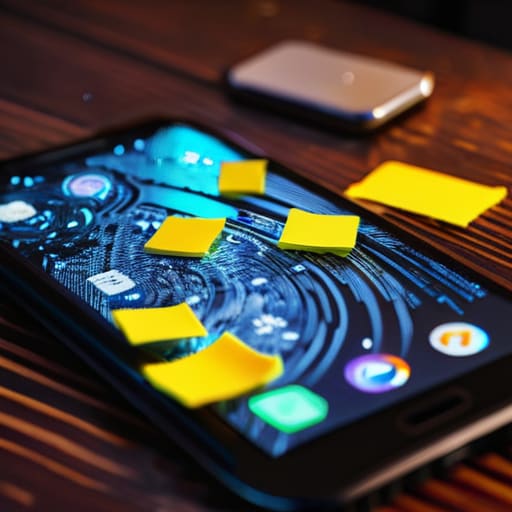
If you’ve ever noticed your phone stuttering right when you’re trying to pull up a quick map or check a calendar invite, it’s usually because your apps are hoarding junk. Every time you browse or use an app, it stores temporary files—the cache—to help things load faster later. But eventually, that “help” turns into a cluttered mess that actually increases mobile lag. It’s like having a desk covered in old sticky notes; eventually, you can’t find anything.
To fix this, you don’t need to go into a deep technical rabbit hole. You can simply go into your settings and clear smartphone cache for the heavy hitters like your browser or social media apps. It’s one of those low-effort maintenance tasks that makes a massive difference in how responsive everything feels. I usually do this once a month just to keep things snappy. It’s a small, repeatable win that helps free up storage space and keeps your device from feeling like it’s fighting you during a busy workday.
Manage Background Apps When Youre Too Tired to Care

We’ve all been there: it’s 9:00 PM, you’re exhausted, and you just want to scroll through a recipe or check a single email, but your phone is acting like it’s running through mud. When you’re too drained to dive into deep smartphone performance troubleshooting, the last thing you want to do is a deep dive into your settings. But honestly, a huge part of that sluggishness comes from those dozens of apps you “closed” but that are still secretly working behind the scenes.
Instead of trying to fix everything at once, just take a moment to manage background apps that you haven’t touched in days. You don’t need to be a tech expert; just swipe away the heavy hitters—the social media apps and maps that love to eat up resources. It’s a low-effort way to reduce mobile lag without needing a massive burst of energy. Think of it as a quick mental reset for your device; once those invisible processes stop fighting for attention, your phone finally starts behaving again.
Five more ways to stop the lag without losing your mind
- Delete the apps you haven’t touched since last Christmas. We all have that one random photo editor or fitness tracker we downloaded once and forgot about; they’re just sitting there taking up space and slowing down your system updates.
- Turn off those unnecessary animations. If you go into your developer settings and dial back the transition speeds, your phone will feel snappy and instant instead of having that weird, heavy delay every time you swipe between screens.
- Stop the “notification creep” by silencing non-essential apps. Every time a random app pings you, it’s using a tiny bit of processing power and mental energy; if it’s not a text or a calendar alert, it probably doesn’t need to be live-updating in the background.
- Clean out your massive photo libraries and old downloads. I used to let my “Downloads” folder turn into a digital junk drawer, but clearing out those old PDFs and blurry screenshots actually frees up enough storage to let the OS breathe.
- Give your phone a scheduled restart once a week. It sounds basic, but a quick reboot clears out the digital cobwebs and stuck processes that build up over days of continuous use, making everything feel a little more fresh.
The bottom line
You don’t need to go on a massive digital declutter every week; just clearing out your cache and managing background apps once in a while is enough to stop the lag.
Aim for “good enough” rather than perfect—the goal is to make your phone stop fighting you, not to turn it into a pristine, empty shell.
Focus on the low-effort wins that actually save you frustration when you’re already running on low battery or a long workday.
Finding Your Digital Flow
At the end of the day, speeding up your phone isn’t about chasing some impossible standard of technical perfection. It’s about the small, practical wins we talked about: clearing out that accumulated cache, being a bit more intentional with background apps, and pruning the digital clutter that’s been weighing your device down. You don’t need to spend your entire Sunday performing a factory reset or becoming a coding expert to see a difference. Just a few low-effort tweaks to stop the lag can turn a frustrating, stuttering screen back into a tool that actually helps you move through your day instead of slowing you down.
My philosophy has always been that our tools should serve us, not the other way around. If your phone is constantly fighting you, it’s just adding one more layer of friction to an already busy life. Don’t let the tech overwhelm you; just take five minutes to implement one of these systems and then get back to what matters. Whether that’s finishing a project, scrolling through something relaxing, or finally putting the phone away for the night, you deserve a device that works as hard as you do without the unnecessary drama.
Frequently Asked Questions
Will clearing my cache actually delete my saved passwords or login info?
No, you can breathe easy—clearing your cache won’t wipe your passwords or kick you out of your accounts. Think of the cache like the crumbs left on a table after a meal; cleaning it up gets rid of the clutter without throwing away the actual dishes. If you want to clear your login info, you’d have to go a step further and clear your “cookies” or “site data,” but for a simple speed boost, stick to the cache.
Is there a way to stop certain apps from running in the background without having to manually close them every single time?
Honestly, manually swiping away apps feels like a losing battle. Instead, go into your phone’s settings and look for “Background App Refresh” (on iPhone) or “Data Usage/Background Data” (on Android). You can toggle it off for specific, resource-heavy apps that don’t actually need to be “live” all the time—like shopping apps or games. It’s a one-and-done fix that lets your phone do the heavy lifting so you don’t have to.
At what point is a phone just too old to fix, and should I actually consider upgrading?
Honestly, it’s when the friction starts outweighing the fixes. If you’re spending more time troubleshooting lag or hunting for a charger than actually using the device, that’s your sign. When security updates stop coming—leaving your data vulnerable—or if even basic tasks like checking an email feel like a chore, stop fighting it. Don’t view an upgrade as a luxury; view it as reclaiming your time and reducing daily mental clutter.


I believe that life doesn't need to be optimized to perfection, just made slightly more manageable. My goal is to help you find systems that actually work when you're tired, not just when you're motivated. Let's focus on small, repeatable wins that clear the path for what actually matters.