How to Break Your Phone Addiction and Regain Your Focus

I was sitting at my desk last Tuesday, midway through a spreadsheet that actually required my brain, when I realized I’d spent the last twenty minutes scrolling through a thread about sourdough starter recipes I will never make. My phone was right there, glowing like a tiny, addictive sun, and I didn’t even remember picking it up. Most “experts” will tell you that you need a week-long silent retreat or a $500 “dumbphone” to fix this, but honestly? That’s just more noise. If you’re looking for how to stop checking your phone without completely nuking your social life or your job, you don’t need a digital detox; you just need better boundaries for when you’re exhausted.
I’m not here to sell you on a lifestyle of monk-like discipline or complicated app blockers that you’ll just end up deleting by Thursday. Instead, I want to share the low-friction systems I’ve actually managed to keep in place while balancing a full-time career and a messy apartment. We’re going to focus on small, repeatable tweaks—the kind that work even when you’re too tired to care—to help you reclaim your focus without the unnecessary guilt.
Identifying Smartphone Dependency Symptoms When Youre Exhausted
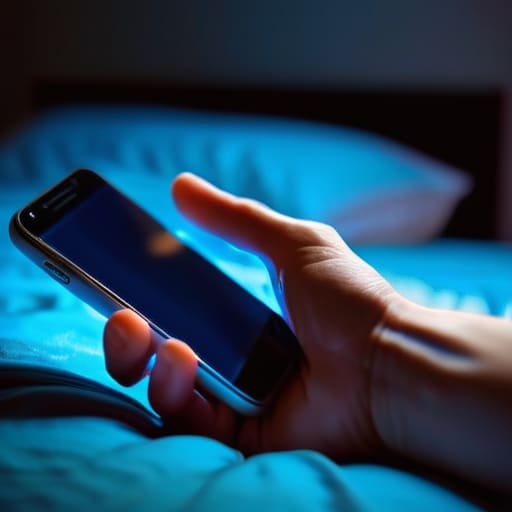
It’s usually not during my most productive hours that I realize I have a problem; it’s at 11:00 PM when I’m physically drained but my thumb is still twitching to refresh a feed. When you’re running on empty, the smartphone dependency symptoms look less like “addiction” and more like a complete loss of impulse control. You aren’t even looking for anything specific anymore; you’re just performing a mechanical ritual because your brain is too tired to decide on a better activity.
I’ve started paying attention to that specific “phantom” sensation—the feeling that your phone vibrated in your pocket when it definitely didn’t. If you find yourself opening an app, closing it, and then immediately reopening it three seconds later, that’s a massive red flag. It’s a sign that your brain is stuck in a loop, desperately seeking a hit of stimulation that just isn’t coming. Recognizing these automatic, mindless patterns is the first step toward actually improving focus and concentration later on. You can’t fix a habit if you don’t realize you’re currently doing it.
Low Energy Digital Wellbeing Strategies for Busy Days
When you’re running on fumes after a long shift, the last thing you want to do is follow a rigid, high-effort routine. Forget those intense dopamine detox techniques that require you to sit in a dark room for three hours; they just don’t work when your brain is fried. Instead, I lean into “low-friction” habits. One thing that works for me is setting my phone to grayscale. It makes the screen look incredibly dull and unappealing, which helps with limiting social media distractions without requiring any actual willpower.
Another easy win is the “out of sight, out of mind” rule. If I’m trying to wind down, I don’t try to fight the urge to scroll; I just physically move the device to a different room or toss it into a drawer. It’s much easier to practice mindful technology use when the device isn’t literally sitting in your palm. These aren’t about being perfect; they’re just small, lazy ways to reclaim a little bit of mental space when you’re too exhausted to care about a full digital reset.
Small Tweaks to Break the Muscle Memory
- Move your most addictive apps off your home screen. If you have to actually swipe through three pages to find Instagram or TikTok, you give your brain a split second to ask, “Do I actually want to do this, or am I just bored?” That tiny bit of friction is everything.
- Turn your screen to grayscale. It sounds weird, but stripping away the bright, candy-colored icons makes the phone feel significantly less rewarding. It turns a high-stimulation dopamine machine into a boring tool, which is exactly what we want.
- Set a “Charging Station” outside of the bedroom. I started doing this a few months ago, and it changed my entire morning. If my phone isn’t the first thing I touch when I wake up, I don’t start my day in a reactive, stressed-out state.
- Use “Do Not Disturb” as your default, not an exception. You don’t need to be reachable by everyone at all times. Setting scheduled downtime lets you reclaim your focus without having to manually toggle settings every time you sit down to work or relax.
- Buy a real alarm clock. If your phone is your alarm, it’s an invitation to stay in bed for an hour scrolling. A cheap, basic alarm clock removes the excuse of needing your phone within arm’s reach, making it much easier to leave the device in another room.
The Bottom Line
Don’t aim for a total digital detox; just focus on small, low-effort boundaries that work even when you’re running on empty.
Recognize that mindless scrolling is usually a symptom of exhaustion, not a lack of willpower, so treat it as a signal to rest rather than a personal failure.
Build simple, physical friction—like leaving your phone in another room—to break the loop when your brain is too tired to make conscious decisions.
Finding Your Own Rhythm

At the end of the day, breaking the phone loop isn’t about some radical, overnight transformation or deleting every social media app you own. It’s really just about recognizing when your habits are working against you—especially during those low-energy windows when you’re too drained to make intentional choices. Whether you decide to start by physically moving your charger to another room, setting a strict “no-scroll” rule during dinner, or just being more mindful of the automatic twitch to check your notifications, the goal is consistency over intensity. You don’t need a perfect digital detox; you just need a few small, repeatable wins that keep your phone from hijacking your limited downtime.
Please remember that if you slip up and spend forty-five minutes spiraling down a random video rabbit hole, you haven’t “failed.” You’re just human, and some days are going to be harder than others. The point isn’t to achieve some impossible standard of digital purity, but to reclaim just enough headspace to feel like you’re actually in control of your own time. Focus on making your life slightly more manageable, one small boundary at a time. You deserve to have moments that belong entirely to you, uninterrupted by a screen.
Frequently Asked Questions
How do I stop the habit of checking my phone if my job requires me to be constantly reachable for Slack or emails?
This is the hardest part of remote work for me. If your job requires constant availability, you can’t just “turn off” the phone. Instead, I focus on boundaries that feel manageable. I use “Do Not Disturb” schedules for everything except Slack and my most important contacts. I also keep my phone face down on my desk; if I don’t see that glowing screen, I’m less likely to reflexively grab it every time a notification pings.
Is there a way to reduce screen time without feeling like I'm missing out on important social updates or news?
I get this. The FOMO is real, and the thought of being “out of the loop” is genuinely stressful. Instead of a total blackout, try a “batching” approach. Pick two or three specific times a day—maybe after lunch and once in the evening—to intentionally check your feeds. You aren’t missing the world; you’re just choosing when to engage with it. It turns mindless scrolling into a controlled task rather than a constant, draining background noise.
What do I do when I've already set boundaries but find myself reflexively reaching for my phone during a moment of boredom or stress?
Honestly, I’ve been there. You’ve set the boundaries, but your thumb has a mind of its own. When that reflexive reach happens, don’t beat yourself up—that just adds more stress. Instead, try a “micro-interruption.” If you catch yourself scrolling, physically put the phone face down and take three deep breaths, or grab a glass of water. It’s about breaking the muscle memory, not being perfect. Just acknowledge the itch and pivot.


I believe that life doesn't need to be optimized to perfection, just made slightly more manageable. My goal is to help you find systems that actually work when you're tired, not just when you're motivated. Let's focus on small, repeatable wins that clear the path for what actually matters.