How to Identify a Phishing Attempt Instantly
I was sitting at my desk last Tuesday, halfway through a lukewarm coffee and trying to organize my week in my physical planner, when a notification popped up that looked exactly like a legitimate alert from my bank. My heart did that little frantic skip—the one where you’re convinced your entire life savings just vanished into the ether. I almost clicked it. It wasn’t because I’m tech-illiterate; it’s because I was tired, distracted, and running on five hours of sleep. Most “expert” guides make it sound like you need a degree in cybersecurity to stay safe, but honestly, learning how to spot a phishing email shouldn’t feel like studying for a final exam.
I’m not here to give you a lecture on complex encryption or scare you into buying expensive software you don’t need. Instead, I want to share the low-effort red flags I’ve learned to look for when my brain is too fried to be hyper-vigilant. We’re going to focus on a few practical, repeatable checks that will help you catch these scams before they catch you. My goal is to give you a simple mental checklist that actually works when you’re exhausted and multitasking, so you can clear your inbox without the constant anxiety.
Spotting Spoofed Sender Addresses Without the Stress
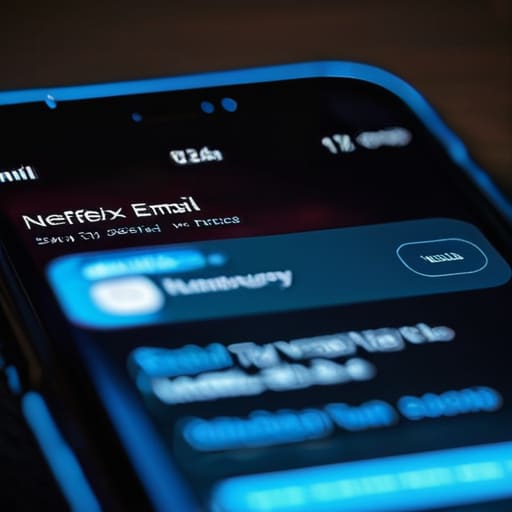
The easiest way to get tripped up is by trusting your eyes too much. We’re wired to see a name like “Netflix Support” or “Your Bank” and immediately relax. But here’s the thing: names are easy to fake. You really need to look at the actual email address behind that display name. If you’re expecting a message from Amazon but the sender is some string of random characters or a domain that looks almost right—like `[email protected]` instead of just `amazon.com`—that is a massive red flag.
I’ve learned that spotting spoofed sender addresses doesn’t require a degree in IT; it just requires a three-second pause. Instead of clicking straight into the email, hover your mouse over the sender’s name to see the true address pop up. It’s one of those simple email security best practices that actually works when you’re multitasking or running on three hours of sleep. If the domain looks even slightly “off,” don’t engage. Just close the tab and go to the official website directly through your browser instead.
Quick Malicious Link Identification for Busy Days
When you’re rushing between meetings or trying to finish a task before your coffee gets cold, a suspicious link can easily slip past your defenses. The trick isn’t to become a forensic expert, but to develop a habit of hovering before you click. On a desktop, just rest your cursor over any link or button without actually clicking it. A small preview box will pop up in the corner of your browser showing you the actual destination URL. If the text says “Update Your Account” but the preview shows a string of random gibberish or a weird domain you’ve never heard of, trust your gut and walk away.
This is one of those core email security best practices that actually saves you more time than it takes. Most social engineering tactics rely on creating a sense of false urgency—like a “final notice” or an “unauthorized login alert”—to make you act before you think. If a link looks even slightly suspicious, don’t risk it. Instead of clicking, just open a new tab and type the official website address in yourself. It takes an extra ten seconds, but it’s much faster than trying to recover a compromised account.
Five Low-Effort Ways to Keep Your Inbox From Stressing You Out
- Watch out for the “Panic Button” tactic. If an email is screaming at you to “Act Now!” or “Your account will be deleted in 2 hours,” take a breath. Scammers rely on that spike of cortisol to make you stop thinking clearly. If it feels urgent, it’s probably a trap.
- Check the tone. Most professional companies—even the ones I work with—don’t use weirdly aggressive language or weirdly informal greetings like “Dear Customer” when they should know your name. If the vibe feels off, it probably is.
- Look for the “too good to be true” factor. I’ve seen emails claiming I won a gift card for a brand I’ve never even heard of. If you didn’t enter a contest, you didn’t win a prize. It’s that simple.
- Be wary of unexpected attachments. If a random invoice or a “shipping update” PDF arrives out of nowhere, don’t just click it to see what it is. That’s how malware gets into your system, and cleaning that up is a headache I don’t have time for.
- When in doubt, go to the source. If an email says there’s a problem with your bank or your Netflix account, don’t click anything in the email. Just open a new tab, go to their official website yourself, and log in there. It takes an extra thirty seconds, but it saves you a massive amount of trouble.
The "Don't Overthink It" Cheat Sheet
If the sender’s email address looks like a random string of gibberish or doesn’t match the company name, trust your gut and hit delete.
Hover before you click—it takes two seconds to see where a link is actually taking you, and it’s much easier than dealing with a compromised account later.
Scammers love to create a false sense of urgency; if an email is demanding immediate action or threatening to lock your account, take a breath and verify it through a separate, trusted channel instead.
Keep Your Guard Up (Without the Paranoia)
At the end of the day, spotting a scam doesn’t require you to become a cybersecurity expert or spend twenty minutes analyzing every single notification. It really just comes down to a few quick, instinctive checks: take a second to squint at that sender’s address, hover over those suspicious links before you click, and—most importantly—trust your gut when a request feels weirdly urgent or out of character. If an email from your bank suddenly demands immediate action or asks for your password, it’s almost certainly a fake. By implementing these tiny, low-effort habits, you’re building a reliable layer of defense that works even when you’re too tired to be hyper-vigilant.
I know it feels exhausting to constantly be on the lookout for the next thing trying to trick you, but don’t let it turn your inbox into a source of constant anxiety. The goal isn’t to live in a state of digital lockdown; it’s just to make sure you aren’t leaving the door wide open for unnecessary chaos. Focus on these small, repeatable wins to keep your digital life running smoothly. Once you have these basic patterns down, you can get back to focusing on the things that actually matter, knowing you’ve cleared the path for a much more secure, and significantly less stressful, daily routine.
Frequently Asked Questions
What do I do if I already clicked a link but I'm pretty sure it was a scam?
First, take a breath. Panicking makes it harder to think clearly, and we need clarity right now. If you clicked, immediately disconnect your device from the Wi-Fi to stop any potential data transfer. If you entered any passwords, change them immediately—but do it from a different, clean device. Finally, scan your system with reputable software. It’s a bit of a hassle, but catching it early is much easier than dealing with a full-blown headache later.
Are these types of scams getting harder to spot with AI, or are the red flags still basically the same?
Honestly, they are getting trickier. AI can now polish up those awkward, “broken English” red flags that used to be dead giveaways. The grammar is getting smoother, and the tone feels much more human. But don’t panic—the core logic hasn’t changed. Scammers still rely on urgency and fear to make you act before you think. Even if the email looks perfect, if it’s demanding immediate action or asking for something weird, trust your gut.
Is there a way to set up my inbox so these things don't even get a chance to stress me out in the first place?
Honestly, the best way to handle this is to stop treating your inbox like a real-time chat. I’ve started using aggressive filters to shunt anything that looks even slightly suspicious straight into a “Review Later” folder. It keeps the clutter out of my main view so I’m not constantly on edge. Also, turning off those annoying push notifications for non-essential emails helps immensely. If it’s not from a person or a tool I use daily, it doesn’t get to interrupt my flow.


I believe that life doesn't need to be optimized to perfection, just made slightly more manageable. My goal is to help you find systems that actually work when you're tired, not just when you're motivated. Let's focus on small, repeatable wins that clear the path for what actually matters.