How to Crush Your Next Remote Interview
I used to think that landing a remote role meant I needed a professional-grade ring light, a minimalist Scandinavian desk setup, and the ability to deliver a keynote speech from my living room. Honestly? That’s a lot of pressure that usually just leads to burnout before the first “hello.” Most of the advice you find online about remote job interview tips is focused on creating this perfect, curated illusion of productivity, but that’s not how real life works. We aren’t robots; we’re people trying to look competent while our neighbor decides that 10:00 AM on a Tuesday is the perfect time to start using a leaf blower.
I’m not here to tell you how to build a studio; I want to help you build a system that actually works when you’re feeling the pre-interview jitters. I’ve spent years navigating the shift from chaotic office environments to structured remote workflows, and I’ve learned that the best way to show up is to focus on the small, manageable details that keep things from falling apart. I’m going to share my most practical, low-friction strategies for handling tech glitches, lighting, and mental prep so you can stop worrying about the background clutter and start focusing on the job itself.
Simple Remote Interview Lighting Setup Without the Stress
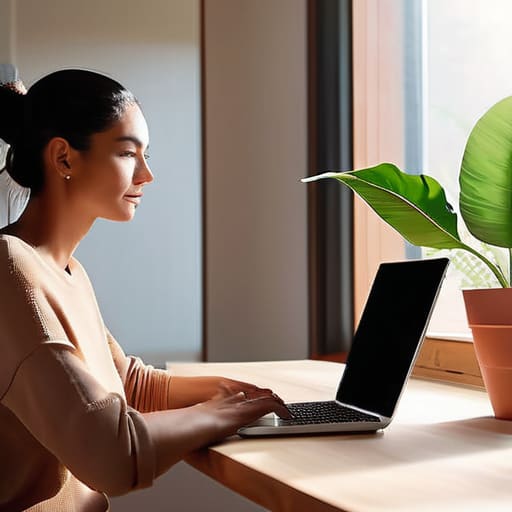
Look, you don’t need a ring light or a professional studio to look decent on camera. I used to stress about this constantly, thinking I needed a whole lighting rig just to avoid looking like a grainy shadow in a dark basement. In reality, the best remote interview lighting setup is usually just a window. If you can, position your desk so you’re facing a natural light source. Avoid having a bright window directly behind you, though—unless you want to look like a mysterious silhouette in a witness protection program.
If you’re interviewing in the evening or don’t have much natural light, grab a standard desk lamp. The trick is to not point it directly at your face, which creates that harsh, unflattering glare. Instead, aim it at the wall in front of you or use a piece of white paper to bounce the light back toward your face. It softens everything out and makes you look much more approachable. It’s a tiny bit of video call technical troubleshooting that pays off immensely by making you look awake and engaged, even if you’re running on caffeine and sheer willpower.
Managing Video Call Technical Troubleshooting Before You Panic
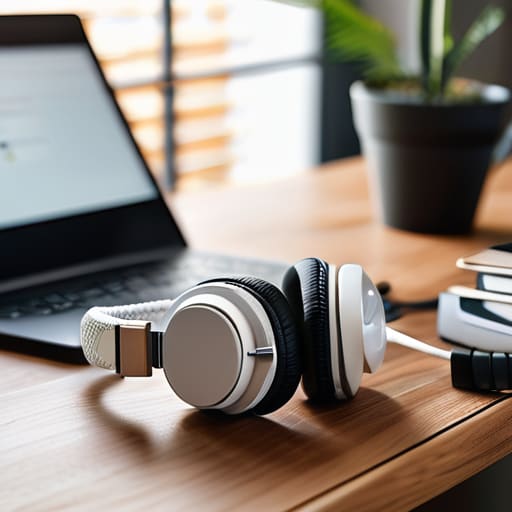
Look, I’ve been there. You’re mid-sentence, feeling confident, and suddenly your screen freezes or your audio turns into a robotic mess. It’s a total confidence killer. The trick to video call technical troubleshooting isn’t about having a professional IT department; it’s about having a “Plan B” that requires zero brainpower. I always keep a pair of wired headphones plugged in and ready to go. Bluetooth is great until your battery dies or the connection drops right when the recruiter asks a big question. If the audio fails, having that physical backup saves you from that frantic, mid-call scramble to find a charger.
I also swear by a quick “tech dry run” about fifteen minutes before the meeting. Don’t just check your connection; actually open the specific app you’ll be using. There is nothing worse than realizing you need to download a massive update after the interview has already started. While you’re at it, do a quick check of your mic levels. It’s much better to realize you’re muted or too quiet while you’re alone in your room than to spend the first five minutes of preparing for remote technical interviews apologizing for your volume.
Low-Effort Ways to Feel Prepared (Without the Pre-Interview Spiral)
- Create a “cheat sheet” post-it. Instead of trying to memorize your life story, stick a few bullet points of your biggest wins right next to your webcam. It keeps your eyes on the screen and ensures you don’t blank on that one specific metric you wanted to mention.
- Do a quick “clutter sweep” of your immediate view. You don’t need to clean your entire apartment, but clear the pile of laundry or the half-empty coffee mugs from the frame. A clean background signals you’re organized, even if your desk is actually a disaster.
- Pick your outfit the night before and actually try it on. There is nothing worse than realizing ten minutes before a call that your “professional” sweater has a pill or that your shirt is surprisingly wrinkled. Save the morning-of stress for something else.
- Script your “technical check” ritual. Have your charger plugged in, your headphones tested, and your browser tabs closed (except for the meeting link) at least fifteen minutes early. If something glitches, you’ll have a buffer to fix it without the heart-pounding panic.
- Practice your “elevator pitch” while doing something mindless, like watering my plants or making tea. If you can explain what you do while your brain is on autopilot, you’ll be much more likely to sound natural and conversational when the actual pressure is on.
The Low-Stress Interview Checklist
Don’t aim for a professional studio; just find one corner with decent light and a clean background so you aren’t distracted by your laundry pile.
Test your tech 15 minutes early, but don’t obsess over perfection—as long as your mic works and your internet is stable, you’re good to go.
Prepare a physical notebook and pen to keep your thoughts organized, because staring at a screen can make your brain feel a lot fuzzier than usual.
Final Thoughts Before You Log On
At the end of the day, a remote interview isn’t about having a professional-grade studio or being a tech wizard. It’s really just about removing the friction that gets in the way of your actual conversation. We’ve covered how to fix your lighting so you don’t look like a shadow, and how to troubleshoot your tech so a sudden Wi-Fi hiccup doesn’t send you into a spiral. If you can manage your space and your setup, you’ve already won half the battle. Remember, the goal isn’t to be perfectly polished; it’s just to be prepared enough that you can actually focus on the person on the other side of the screen.
I know how much energy these things take. It’s easy to spend the night before staring at your webcam and overthinking every possible way things could go wrong. But try to remember that the company wants to meet you, not your hardware. If the lighting is a little off or your mic sounds a bit tinny, it’s okay. You are more than your bandwidth. Take a breath, grab a glass of water, and trust that you have the skills to do the job. You don’t need a flawless performance to make a genuine connection; you just need to show up as yourself.
Frequently Asked Questions
How do I stop myself from staring at my own face on the screen while I'm trying to listen?
Honestly, I used to do this constantly. It’s a total distraction. The easiest fix is to move your “self-view” window to a different part of the screen, or better yet, hide it entirely. Most platforms like Zoom or Teams have a “Hide Self View” option in the settings. If you can’t find that, just shrink the window as small as possible and tuck it into a corner. It helps you focus on the person talking instead of your own facial expressions.
What do I do if my internet actually cuts out right in the middle of a question?
This is the part that actually makes my heart race, but here’s the reality: if the screen freezes, don’t panic. If you can get back on quickly, just say, “Sorry, my connection flickered there—could you repeat that last bit?” If it’s a total blackout, switch immediately to your phone using cellular data. If that fails, send a quick email or text from your phone. It’s not a disaster; it’s just a technical hiccup.
Do I really need to dress up fully, or is a nice top enough to keep things professional?
Look, I get it. The thought of putting on a full suit just to sit in your living room feels ridiculous. Honestly? A nice top is usually plenty. I aim for “polished but comfortable.” Think a clean blouse or a structured knit—something that says you’re awake and professional without making you feel like you’re wearing a costume. Just skip the sweatpants, though. Even if they aren’t on camera, they help your mindset.


I believe that life doesn't need to be optimized to perfection, just made slightly more manageable. My goal is to help you find systems that actually work when you're tired, not just when you're motivated. Let's focus on small, repeatable wins that clear the path for what actually matters.