Building a Smart Home Without Spending a Fortune
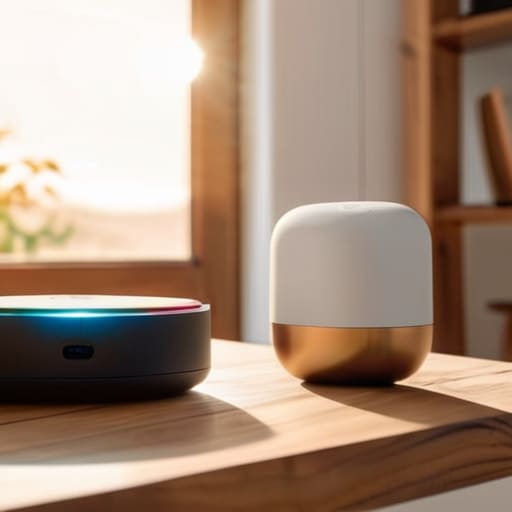
I was standing in my kitchen at 11:00 PM, staring at a smart lightbulb that refused to connect to my Wi-Fi, feeling more like a frustrated IT technician than a person trying to relax. We’ve been sold this idea that learning how to set up a smart home means turning your apartment into a high-tech command center where everything is voice-activated and perfectly synchronized. But honestly? Most of the time, that just leads to more digital clutter and a headache you didn’t ask for. You don’t need a futuristic ecosystem to make your life easier; you just need a few things that actually work when you’re too tired to troubleshoot.
In this guide, I’m skipping the expensive gadgets and the complex coding tutorials to focus on the basics. I’ll show you how to build a system that focuses on low-effort wins, like automating your morning routine or setting a single light to dim when it’s time to wind down. This isn’t about perfection or having the flashiest setup on the block—it’s about creating a few small, repeatable systems that clear the mental deck so you can actually enjoy your space.
Guide Overview
Tools & Supplies
- Smartphone (to run control apps)
- Wi-Fi Router (to provide network connectivity)
- Screwdriver (for mounting smart switches or cameras)
- Smart Hub (1 unit)
- Smart Bulbs (3-5 units)
- Smart Plugs (2-3 units)
- Smart Speaker/Voice Assistant (1 unit)
Step-by-Step Instructions
- 1. Start with a single, high-impact problem. I know the temptation to go out and buy every smart bulb and plug on the market, but that is a fast track to a tech headache. Instead, pick one thing that actually annoys you. Is it getting out of bed to turn off the hallway light? Is it realizing you left the coffee pot on? Pick one friction point and solve only that.
- 2. Pick your “brain” (the ecosystem). You don’t need to be a coder, but you do need to decide which language your house is going to speak. If you’re already deep in the Apple ecosystem, stick with HomeKit; if you want more flexibility and lower prices, go with Google Home or Alexa. Trying to juggle three different apps just to turn on a lamp is exactly the kind of unnecessary clutter I try to avoid.
- 3. Invest in smart plugs before you touch anything else. Smart plugs are the unsung heroes of a functional home because they turn your already existing appliances into smart ones. You can plug a “dumb” floor lamp or a fan into a $10 plug, and suddenly, you can control them from your phone or via voice. It’s the lowest-effort way to see immediate results without a massive overhaul.
- 4. Get the lighting right—but keep it simple. I’m not talking about color-changing RGB strips that make your living room look like a nightclub; I mean smart bulbs that allow you to set a gentle dimming schedule. Being able to have the lights slowly brighten at 7:00 AM instead of being jolted awake by a loud alarm is a massive win for your morning sanity.
- 5. Map out your “routines” rather than just individual commands. A command is “turn on the light,” but a routine is “Movie Mode,” which dims the lights, turns off the smart plug connected to the lamp, and sets your phone to Do Not Disturb. Focus on creating sequences of actions that save you those tiny, repetitive movements throughout the day.
- 6. Check your Wi-Fi strength in the corners where you actually spend time. There is nothing more frustrating than a smart device that constantly shows as “offline” because your router is tucked away in a closet in another room. If you find yourself struggling with connectivity, don’t buy more gadgets; look into a mesh Wi-Fi system to ensure your smart home actually stays connected and reliable.
A Smart Home Beginner Checklist for Low Energy Days
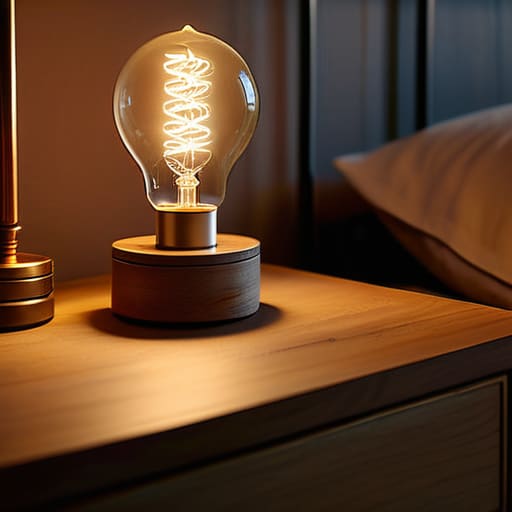
Look, I know how it goes. You start this project with all the best intentions, but then a long workday hits, you’re staring at a pile of unboxed gadgets, and suddenly the idea of configuring a network feels like a second job. On those days, forget the complex automation routines. My personal smart home beginner checklist for low-energy periods is simple: just pick one friction point and solve it. If you’re too tired to map out a whole ecosystem, just get one smart plug for your coffee maker or a single bulb for your bedside lamp.
When you do eventually find the mental bandwidth to expand, don’t try to build everything at once. The biggest mistake I see is ignoring smart home ecosystem compatibility until you’ve already bought five different brands that won’t talk to each other. Instead of a marathon session, aim for one “micro-win.” Maybe that’s just setting up a single voice command to turn off the living room lights. We aren’t aiming for a futuristic command center here; we’re just trying to make tomorrow morning a little bit easier.
Finding Smart Home Ecosystem Compatibility That Actually Works
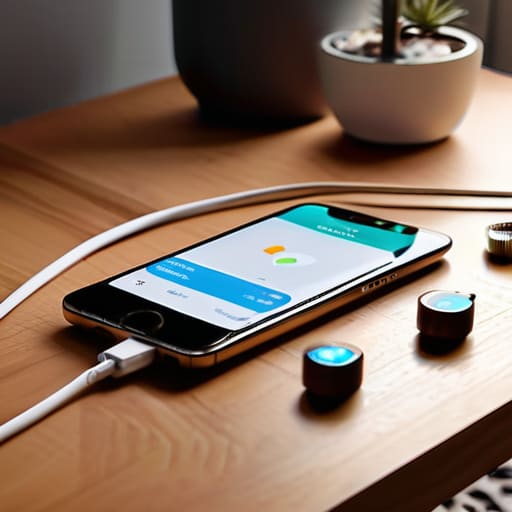
This is where most people hit a wall. You buy a cool smart plug, then a smart bulb, and suddenly you’re staring at three different apps on your phone just to dim the lights. It’s frustrating and, frankly, the opposite of the efficiency we’re actually aiming for. When looking at smart home ecosystem compatibility, don’t just buy what looks good on the box. You need to decide on your “brain” first—whether that’s Alexa, Google Home, or Apple HomeKit. If you don’t pick a primary ecosystem early on, you’ll end up with a digital junk drawer of devices that refuse to talk to each other.
My advice? Stick to a single ecosystem for your core functions, like automating home lighting and security, before branching out. If you’re looking for the best smart home hubs 2024 has to offer, focus on ones that support “Matter.” It sounds technical, but it basically just means the devices are more likely to play nice together regardless of the brand. I’ve learned the hard way that trying to force incompatible tech to work together is a recipe for a headache you definitely don’t need after a long workday.
5 Ways to Keep Your Smart Home from Becoming a Second Job
- Start with the “low-hanging fruit” like smart plugs or a single lamp. Don’t try to automate your entire life in one weekend; just pick one thing that actually annoys you, like realizing you left the coffee pot on, and solve that first.
- Prioritize voice control for things you do when your hands are full. If you’re carrying groceries or a heavy laundry basket, being able to say “turn on the kitchen light” is a genuine win for my sanity.
- Stick to one “brain” for your house. It’s tempting to buy the coolest gadget regardless of brand, but if your lights use one app and your thermostat uses another, you’re just creating more digital clutter to manage.
- Don’t overlook the importance of stable Wi-Fi. All the fancy automation in the world won’t matter if your devices are constantly dropping offline; sometimes a simple mesh network is a better investment than a new smart sensor.
- Automate for your “tired self,” not your “motivated self.” Don’t set up complex routines that require perfect timing; set up simple ones, like lights that dim automatically at 9 PM, to help you transition into rest mode without thinking.
The Bottom Line
Don’t aim for a fully automated house overnight; pick one specific friction point—like turning off the lights—and solve that first.
Prioritize compatibility over cool features; if your devices don’t talk to each other easily, they’re just more digital clutter to manage.
Build your system for your “tired self,” not your “motivated self,” by choosing tools that require minimal effort to actually use.
Finding Your Rhythm
At the end of the day, setting up a smart home isn’t about having a house that talks to you; it’s about building a space that actually supports your lifestyle. We’ve covered how to pick an ecosystem that doesn’t fight with itself, how to prioritize the devices that solve real friction points, and how to keep things simple enough to manage even when you’re running on empty. Remember, you don’t need to automate every single light switch or buy every new gadget that hits the market. The goal is to create small, repeatable wins—like having your coffee machine start while you’re still under the covers or ensuring the porch light turns on automatically when you pull into the driveway—that make your daily routine feel just a little more seamless.
Don’t let the tech overwhelm you or make you feel like you’re failing a test if your setup isn’t “perfect” by some influencer’s standards. Technology should serve you, not become another chore on your never-ending to-do list. If a device feels more frustrating than helpful, let it go. Start small, stay practical, and build your system one useful step at a time. You aren’t building a spaceship; you’re just making your home a slightly easier place to exist.
Frequently Asked Questions
Is it actually going to be more expensive to maintain all these devices than just living the "old fashioned" way?
Honestly? If you go overboard buying every shiny new gadget, yes, it’ll cost more. But if you approach it like I do—focusing on utility rather than novelty—it actually pays for itself in mental energy. I don’t look at smart bulbs as “luxury tech”; I look at them as a way to avoid stumbling in the dark when I’m exhausted. Invest in things that save time or reduce friction, not just things that look cool on a spec sheet.
What happens to my smart lights or locks if my Wi-Fi goes down or the power cuts out?
This is the question that usually keeps me up at night when I’m first setting things up. Here’s the reality: if your Wi-Fi dies, your “smart” devices usually revert to “dumb” mode. You can still flip the physical wall switch or turn the deadbolt manually, but the automation stops. If the power cuts, everything is offline until it’s back. My rule of thumb? Always ensure your most essential gear—like locks—has a reliable physical backup.
How do I stop all these different apps from cluttering up my phone and making my digital life even more chaotic?
Honestly, I used to have a separate app for every single smart bulb and plug, and my home screen looked like a digital junk drawer. It was exhausting. My rule now is “consolidation or nothing.” If a device doesn’t work with my main hub—like Apple Home or Google Home—I don’t buy it. I also use “Focus Modes” to hide all those distracting smart home apps during work hours. If it isn’t essential, it stays off my main screen.


I believe that life doesn't need to be optimized to perfection, just made slightly more manageable. My goal is to help you find systems that actually work when you're tired, not just when you're motivated. Let's focus on small, repeatable wins that clear the path for what actually matters.