Essential Free Apps You Should Install Today
I used to spend my Sunday nights scrolling through app stores, convinced that if I just found the right “magic” tool, my chaotic week would suddenly organize itself. I’d download these complex, hyper-aesthetic planners only to abandon them three days later because they required more energy to maintain than they actually saved. The truth is, most of us don’t need a digital overhaul; we just need the best free apps that don’t feel like a second job. I’ve learned that the most effective tools aren’t the ones with the most features, but the ones that actually work when you’re running on four hours of sleep and a lukewarm cup of coffee.
In this post, I’m stripping away the fluff and sharing the five specific tools I actually keep on my home screen. These aren’t just random downloads; they are the low-friction lifesavers that help me manage my remote workflow and keep my small apartment from descending into madness. I’m going to show you how to build a functional digital toolkit that supports your life rather than demanding your constant attention. Let’s find those small, repeatable wins that make your daily grind feel just a little bit lighter.
Notion for the "Brain Dump" Days
I used to try and keep every single project detail in my head, which was a recipe for a massive headache by 3 PM. Notion is basically my digital junk drawer, but in a way that actually makes sense. I use it to house everything from my long-term career goals to the specific watering schedule for my monstera plant. It’s not about building a complex database—though you can if you’re feeling ambitious—it’s about having one single place to dump information so it stops circling your brain.
Todoist for the Small Wins
There is a specific kind of satisfaction that comes from checking a box, and Todoist is the best at delivering that hit of dopamine. I rely on this app for the tactical, day-to-day stuff that keeps my life from falling apart—things like “call the landlord” or “buy more potting soil.” It’s much more lightweight than a full project management suite, which is exactly why I actually use it instead of letting it sit idle.
Forest for Staying Focused
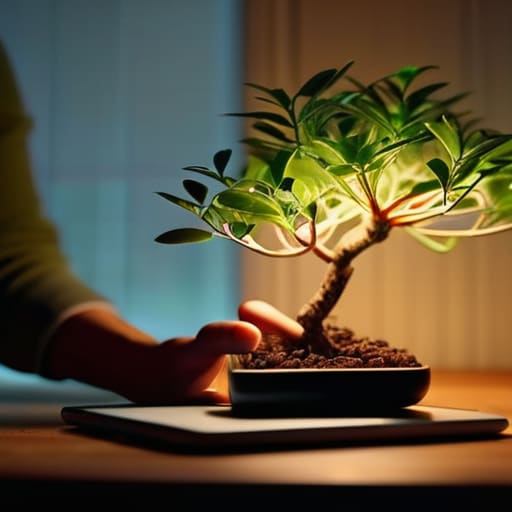
I have a tendency to pick up my phone the second a task gets slightly difficult, usually ending up in a mindless scroll through social media. Forest is my way of gamifying my focus. The concept is simple: you plant a digital tree, and if you stay off your phone for a set amount of time, the tree grows. If you leave the app to check an email or a text, the tree dies. It sounds a bit dramatic, but it actually works.
Google Calendar for Reality Checks
I’m a big believer in the physical planner, but I’ve learned that my Google Calendar is where the “real” world lives. I use it as my primary source of truth for anything that involves a specific time or place. If it isn’t in the calendar, it basically doesn’t exist. This is my main tool for preventing overcommitment, because seeing my day laid out in color-coded blocks makes it very obvious when I’ve accidentally scheduled myself for a marathon of meetings with zero lunch breaks.
Libby for Stress-Free Escapism
Sometimes, the best way to be productive is to actually stop being productive and let your brain rest. That’s where Libby comes in. Since it connects directly to your local library card, you can borrow ebooks and audiobooks for free. I use it to transition out of “work mode” in the evenings. Instead of scrolling through news feeds that just make me feel more anxious, I can dive into a novel or a biography.
The Bottom Line
Don’t download everything at once; pick one tool that solves your most annoying daily friction point and ignore the rest.
A system is only useful if you actually use it on your worst days, so prioritize ease of use over fancy features.
The goal isn’t to be a productivity machine, it’s just to clear enough mental clutter so you can actually relax when you’re done.
The Bottom Line
At the end of the day, these five apps aren’t about turning you into a productivity robot or filling every single gap in your schedule. Whether you’re using a simple task manager to keep your head above water or a note-taking tool to dump those random midnight thoughts, the goal is the same: reducing the mental load. You don’t need a complex, interconnected ecosystem of paid subscriptions to get organized. You just need a few reliable tools that do exactly what they say they will, without requiring a manual to figure out. Pick one, try it for a week, and see if it actually makes your life feel a little less cluttered.
I know how it goes—you download a bunch of shiny new tools on a Sunday night feeling motivated, only to abandon them by Tuesday because they feel like more work. My advice? Don’t aim for a perfect digital setup. Just aim for small, repeatable wins that make tomorrow morning slightly easier to handle. Life is messy, and your systems should be able to handle that messiness. If an app helps you reclaim even ten minutes of peace during a chaotic workday, it’s already done its job. Now, close the tabs, put the phone down, and go do something that actually makes you happy.
Frequently Asked Questions
Are these apps actually free, or do they just trap you behind a subscription after a three-day trial?
I totally get the skepticism—I’ve been burned by “free” trials that turn into surprise monthly charges more times than I’d like to admit. For this specific list, I’ve double-checked: these are genuinely free. They might have “Pro” tiers for power users, but the core features I recommended don’t require a credit card or a subscription to be useful. You can download them, set them up, and actually use them without the bait-and-switch.
Will using all these different apps end up making my digital life more cluttered and stressful instead of simpler?
Honestly, that’s a valid fear. If you try to force every new tool into your routine at once, you’ll definitely end up with digital clutter. My rule of thumb is to treat apps like plants in my indoor garden: don’t add more than you can actually maintain. Pick one that solves a specific friction point, test it for a week, and if it feels like a chore, ditch it. The goal is less noise, not more tabs.
Can I sync these across my phone and laptop without having to pay for a "premium" account?
The short answer is yes. I’ve been through the “subscription fatigue” cycle enough to know how annoying it is, so I checked this for you. All five of these apps allow you to sync between your phone and laptop using their basic, free versions. You don’t need a premium account to keep your data consistent across devices; you just need to make sure you’re signed into the same account on both. No extra fees required.


I believe that life doesn't need to be optimized to perfection, just made slightly more manageable. My goal is to help you find systems that actually work when you're tired, not just when you're motivated. Let's focus on small, repeatable wins that clear the path for what actually matters.